Single Switch Guide
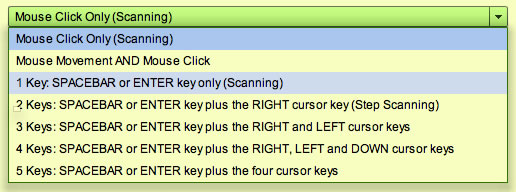
To set the games up for Single Switch, select 'Edit Player' from the menu at the top of the screen. Select
'1 Key: SPACEBAR or ENTER key only (scanning)
and most* of the games can then be played using just a mouse click or keypress, or a switch that emulates either of those functions. If 'scanning is chosen, there will be two more settings available.
Scanning Speed
The delay, in milliseconds, between each move of the scanning cursor.
Release Delay
After a switch has been pressed, any further switch presses will be ignored for the period, in milliseconds, set here. This gives the switch user time to release the switch.
* NOTE: Most, but not all, the games support Single Switch Scanning (we are working on it). See the Compatibility Chart outlining the accessibility for each game. You can remove incompatible games from the player's view using the Games Menu Editor.