Accessible Games Lab
     Home
  Buy Online
  Features
  Accessibility
  Games For Kids
  Games For Teens
  Games For Seniors
  Game List
  Online Dice
     Contact Nanogames
     About Nanogames
     Privacy Policy
    
    
Download
Privacy Logo Privacy Policy
Solution Graphics

Nanogames Getting Started Guide

There are a number of features unique in Nanogames

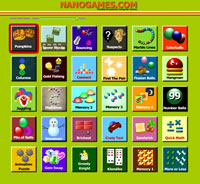
The fastest way to alter all the games is to use the 'Global Game Speed' slider (displayed on the main screen). This control can be used to quickly adjust the speed of all 30 games (up to 90% slower). It's great for experimenting with the settings for all the games or for quickly adjusting the settings of all games for a new player.


If SPEED is the main feature you need to control in games then first read this short tutorial on how to quickly change the speed of all the Nanogames or individual Nanogames games.

The remaining game editing features are accessible through the menus:20 accessible games

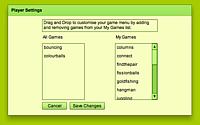
Player Settings
Unless the player has a disability then nothing will need to be changed here. The default setting is playing all games using the mouse or Keyboard. For the player with a disability there are a wide range of options to improve access to the games.

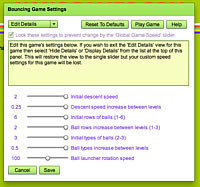
Edit Current Game
Adjust settings in individual games through a very wide range.

Full Screen
Switches the display to full screen and removes the top menu from display.

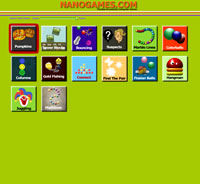
Edit Game Menu
Customize your list of games
.


Game Guide

The following table links to descriptions of each of the games with detailed information about how to customize and play each game.

IMPORTANT NOTE: The following game guides will describe how to play using a mouse or keyboard. Each guide will also describe how to play using 'Single Switch Scanning', this is a special access method for players with very limited mobility. If you are just playing using Mouse or Keyboard then you can skip over the details about Single Switch Scanning but if you are setting the games up for someone with a very limited mobility (ie. can just press a single key or a single switch) then you can read more abour playing the games using Single Switch Scanning here.

       
Fission Balls
Tower Blocks
Juggling
Connect
Fireworks Columns
Pile Of Balls
Bouncing
Gold Fishing
Snowman
Find A Pair
Color Balls
Number Balls
Marble Lines
Math Lines
Memory 2
Memory 3
Memory 4
Hangman
Pumpkins
Suspects
 
Webview Ltd, 7 Glandovey Road, Christchurch, New Zealand
 
     
Nanogames Home